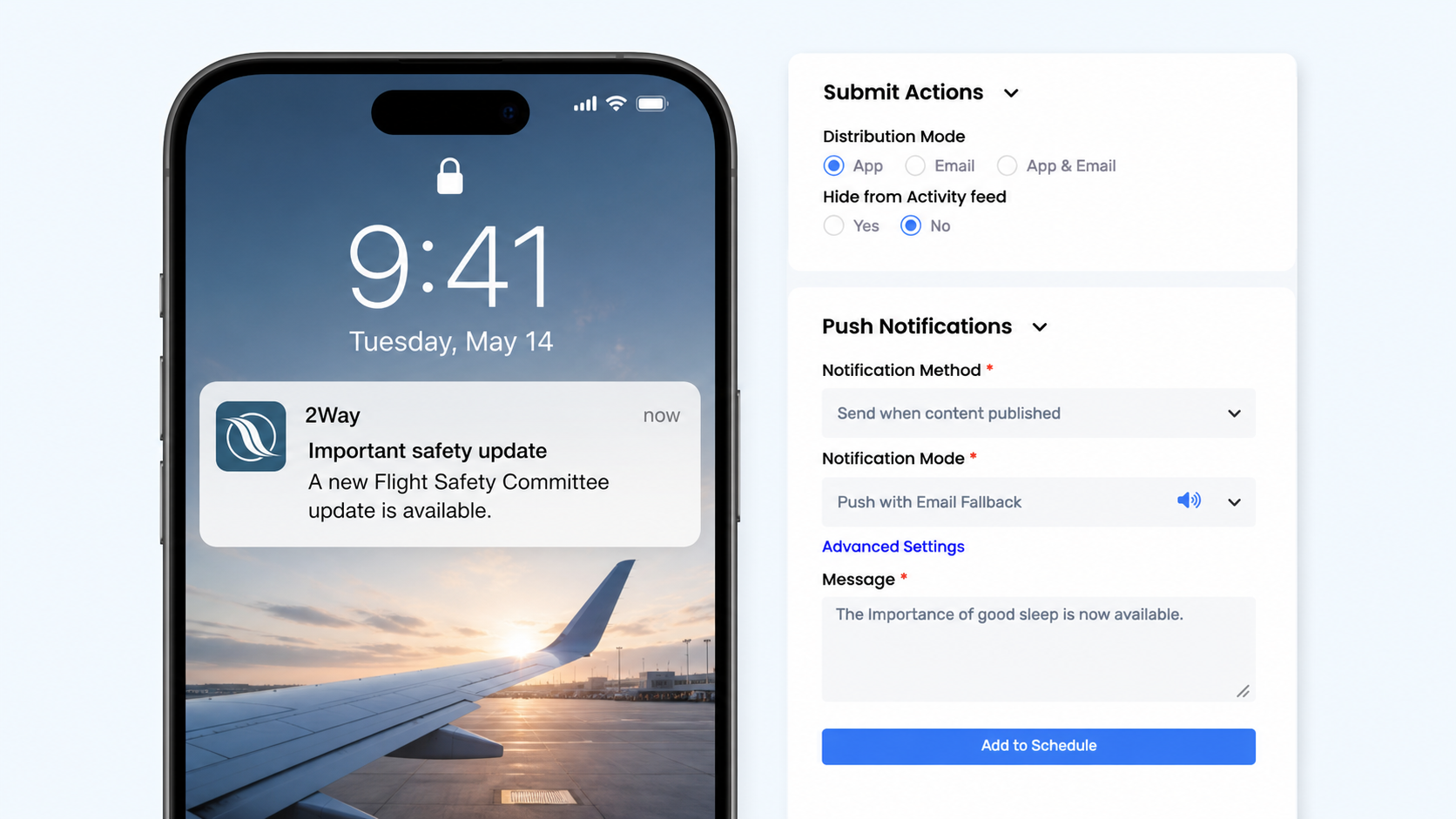
An admin has an update ready to publish. The text is written, the audience has been selected, and the supporting documents are attached. One decision remains: should this update also interrupt members on their phones?
Push notifications are one of the main advantages of the 2Way mobile apps. They can place an official association update directly on a member’s lock screen, even when the app is closed. For aviation professionals moving between flights, airports, hotels, and time zones, that immediate access can matter.
That is a different decision from whether the information belongs in the app. An update may be important enough to publish and keep available without being urgent enough to alert members immediately.
Publishing And Alerting Are Different Decisions
In the 2Way Admin Dashboard, an admin or moderator can prepare the content, choose who should see it, add documents or media, set the timing, and then decide how members should receive it. Publishing makes the complete information available in the platform. A push notification calls immediate attention to it.
For News and Journal content, the association can choose App only, Email only, or App + Email. Email delivery is sent to members with an active status, while App + Email publishes the content in the app and also distributes it by email.
For something especially urgent, the association can deliberately use both email and a push notification. Email is not an automatic fallback when a push is not delivered; the admin chooses both channels so the message does not depend on one route alone. No channel can guarantee that every person will read the update, but using both can increase the chance that members notice it.
Before The Notification Is Sent
A 2Way update can contain much more than the short message shown on a lock screen. From the Admin Dashboard, an association can:
- format the complete update
- add documents, images, and other attachments
- include audio, podcast material, or embedded video where appropriate
- publish to selected member groups or a wider audience
- publish immediately or schedule the content and notification for later
- choose app delivery, email delivery, or both for News and Journal content
- add a push notification when immediate attention is needed
The notification directs members to the complete and current information inside 2Way. It does not need to carry the whole update itself.
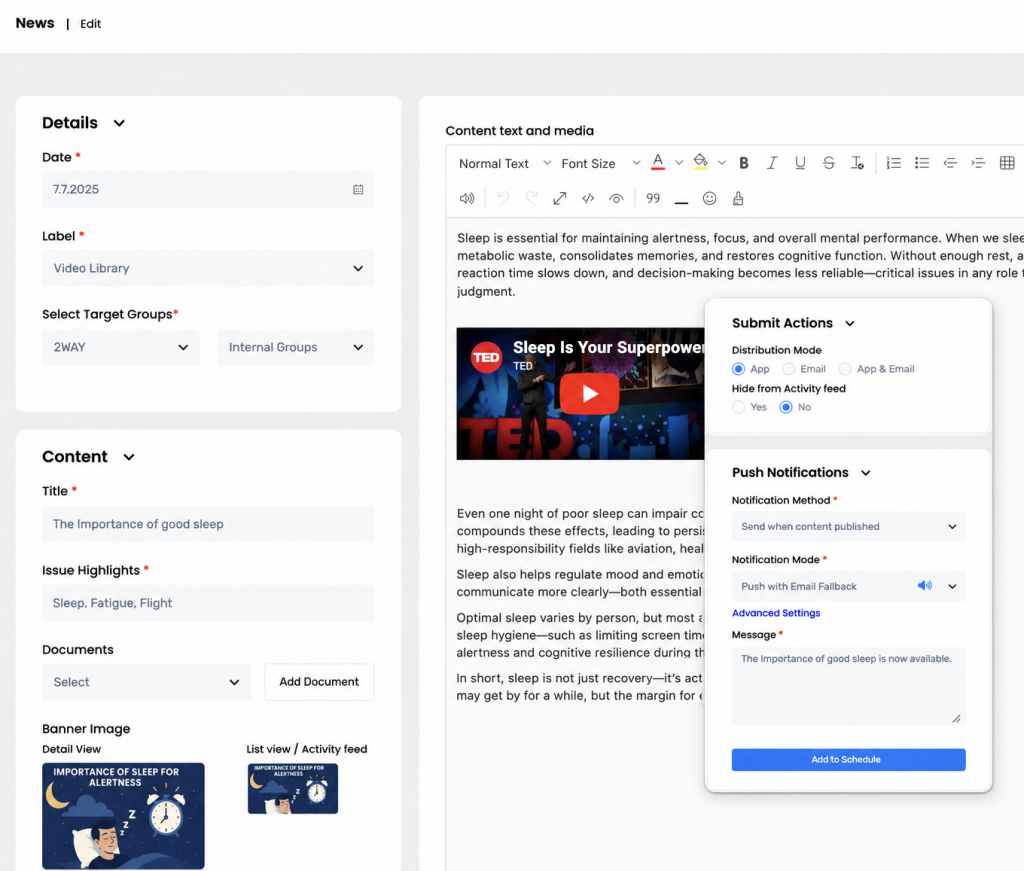
Before The Notification Is Sent
A 2Way update can contain much more than the short message members see on their lock screen. From the Admin Dashboard, an association can:
- Format the complete update
- Add documents and other attachments
- Include images, audio, podcast links, or embedded video
- Publish to selected member groups or a wider audience
- Publish immediately or schedule it for later
- Choose app delivery, email delivery, or both
- Add a push notification when immediate attention is needed
The notification directs members to the complete, current information inside 2Way.
A Flight Safety Update
A Flight Safety Committee moderator needs to publish an operational update. In the Admin Dashboard, the moderator creates a News post, selects the relevant audience, adds the complete explanation, and attaches any supporting document.
The update can be published in the app so members have one official place to read the full information. If it is intended for every active member, the association can also distribute it by email. When immediate attention is important, a push notification can take members directly to the update.
In this case, using both push and email may be appropriate. The message is time-sensitive, and members can open the full content rather than relying on a few lines shown on the lock screen.
Updated Hotel Information
The Hotel Committee has added information about accommodation at a destination. A moderator publishes the details in the appropriate Journal area, selects the audience, and adds any useful documents, images, or contact information.
If the update is for future reference, it probably does not need a push notification. Members can find the current information inside the app when they need it. However, if a hotel changes at short notice for members already travelling, the committee can update the same content and alert the affected group.
The publishing workflow has not changed. The timing and consequence of the information determine whether it also deserves an alert.
An Event Has Changed
An association has already published an event, but the time or location changes. The admin updates the event in the dashboard so members see the current details when they open it. Where attendance responses are enabled, members can also review or update their participation.
Because some members may still be working from the original information, a push notification is useful. If the change affects the full membership and the event is close, the association may also decide to send the information by email.
The alert now has a specific job: tell members that information they may act on has changed.
Before Sending The Push
A few practical questions can help an admin or moderator decide:
- Does the member need to know or do something soon?
- Is the notification going to the people for whom it is relevant?
- Will opening it lead to the complete official information?
- Is email also appropriate because the update is especially important?
- Would the alert still feel justified if members had already received other notifications that week?
If the answer is unclear, the content can still be published without a push. The information remains available in the member app without making every new post an interruption.
The mobile app gives the association a permanent place for official News, Journals, Documents, Surveys, Events, and other member information. Push notifications add immediacy, while email provides another route when the association decides the update requires wider delivery.
The useful question in the Admin Dashboard is not simply, “Can we send a push?” It is, “What should the member know or do after seeing it?” If the answer is clear, send the push. If members also need a second route, send the email as well. If the information only needs to be available, publish it and leave the interruption for something that needs attention now.